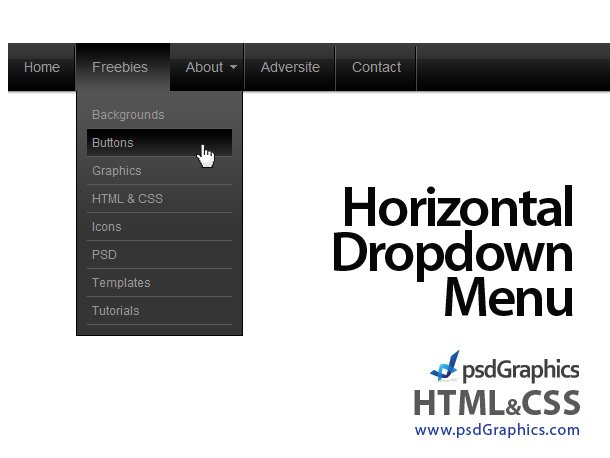
Black horizontal HTML and CSS dropdown menu

You are currently browsing comments. If you would like to return to the full story, you can read the full entry here: “Black horizontal HTML and CSS dropdown menu”.

15 Responses to “Black horizontal HTML and CSS dropdown menu”

  1. Tom says:

    Great work, I have the navigation working perfectly fine in FF, not in IE any suggestion?

  2. swati says:

    It was nice and working in all latest browser, but majority of the people are still stuck on IE 6. So how can be this menu compatible with IE6.

  3. UnikZ says:

    The idea is good, but the implementation – is bad.
    To do this, use a sprite!

  4. MO says:

    thank you soo much!!! i love it!! keep up the good work

  5. Mika says:

    Your menu doesn’t work with older web browsers (IE 4, IE 5) so users who have installed win 98 or Windows XP w/o updates wont see your menu.

  6. Voila says:

    I’m redesigning the navigation for a site and this is exactly what i’m looking for. I love your work so much and admire this site. When you do the next color, can you make it adjustable ? i’m looking for a blue/green and have to do drop-down… Thank you for all that you do, i enjoy it all !!!!! old menu valerievick.com/index.html. all pages are hidden behind the index.htm for now. Hopefully your next colors will help !! BTW, i checked here yesterday as i began redoing the site yesterday and you posted this the same day. i say, there is no coincidence. :-)

  7. proofing1 says:

    Great job, all of your work is truly amazing. This menu will be very useful. Thanks.

  8. Tanya says:

    Thanks, but uumm, slicing is still confusing to me. What I will do is keep looking here until something like that comes up. I can do dreamweaver, but psd slicing is still a bit confusing to me. I know this seems silly :)

    Let me take this opportunity to thank you for this site. It’s a great site. You guys are doing an amazing thing here. Keep up the good work

    God bless

  9. Tanya says:

    I Like your horizontal drop down menu bar. I am already using your orange one which I downloaded here, THANK YOU VERY MUCH!

    Could you please tell me what to do to make the Orange menu drop down like the black one. I have been looking for something like this for a long time.

    Thanks in advance

    • admin says:

      Hi, the easiest way is to slice orange menu PSD file, and to replace current files in images folder (black menu) with new orange pics.

  10. Josh says:

    Are you planing on your designing your site or something, these would look pretty good here? I like them, but I will just have to use them as inspiration though, I prefer making my own. Great work though!!

Leave a Reply